
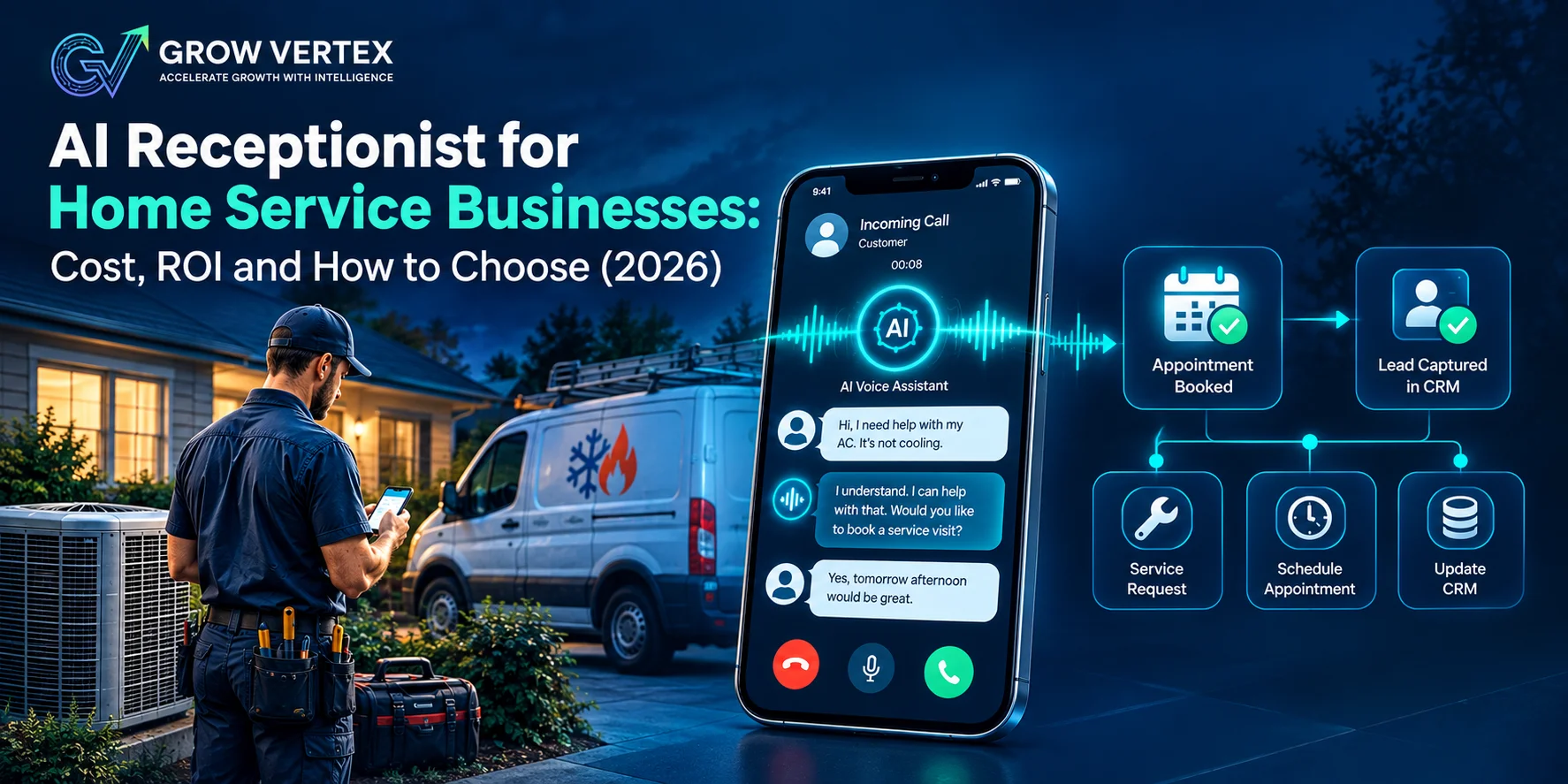
Every unanswered call to a home service business is a job that might go to the next company on Google. You can't answer the phone from a crawl space, a rooftop or at 2 a.m. That's why AI receptionists have become one of the fastest-growing tools in the trades.
The short answer: an AI receptionist answers your business phone 24/7, books jobs, triages emergencies and captures lead details without a human on the line. For home service businesses, standalone plans cost about $30 to $300 a month, and trade-specific systems that book straight into your field service software run about $200 to $1,000 a month per location. It pays off when the jobs it recovers are worth more than its monthly cost, which you can check with the ROI formula below.
The virtual receptionist market was estimated at $4.64 billion in 2026 and is projected to reach $10.85 billion by 2035, according to Business Research Insights (cited by Vellum). But growth doesn't tell you whether it's right for your business. This guide gives you the real costs, a simple ROI test, and a vendor-neutral way to choose.
Key Takeaways
- An AI receptionist costs a fraction of a full-time hire. The BLS median for receptionists is $38,010 a year before taxes and benefits.
- Pricing models vary widely (per minute, per call, flat rate). Match the model to your real call volume and average call length.
- For trades, the two features that matter most are emergency triage and booking directly into your field service software.
- Test any vendor with five real-world calls before you sign. The script is below.
In This Guide
- What an AI receptionist does for a home service business
- How much an AI receptionist costs in 2026
- How to calculate ROI in two minutes
- AI vs. answering service vs. in-house hire
- Features that matter for HVAC, plumbing and trades
- The 5-call test before you buy
- How to set it up the right way
- FAQ
What Does an AI Receptionist Do for a Home Service Business?
An AI receptionist is voice software that answers calls in natural conversation, understands what the caller needs, and takes action. It is not a phone tree or a voicemail box. A well-configured system for the trades can:
- Answer every call instantly, including after hours, weekends and during seasonal spikes when every line is ringing.
- Qualify the job: service type, equipment, symptoms, address and whether you serve that area.
- Triage emergencies and alert or transfer to your on-call technician.
- Book the appointment into your calendar or field service software. See how we approach scheduling and calendar automation.
- Text the customer and your team a confirmation and job summary.
- Answer common questions about hours, service areas, financing and diagnostic fees.
Think of it as the first line of your front office, not a replacement for your team. It handles the routine 80% so your people can focus on the calls that need a human.
How Much Does an AI Receptionist Cost in 2026?
AI receptionist pricing depends mostly on how deeply the system connects to the software you run your jobs on, and whether a human backs it up. Here is how the options compare with hiring.
| Type | Typical monthly cost | Best for |
|---|---|---|
| General AI receptionist (standalone) | About $30 to $300 | Solo operators and small shops that need calls answered and leads captured |
| Hybrid AI + human service | About $95 to $300+, plus per-call fees | Businesses with complex or sensitive calls that want a human backup |
| Home-service AI voice agent with FSM integration | About $200 to $1,000 per location | HVAC, plumbing and electrical companies with dispatchers and 2+ techs |
| Full-time in-house receptionist | About $3,170+ in wages alone | High-volume offices that need in-person front desk work |
Sources: published vendor pricing compiled by Vellum and Growth100X (both are vendors, so verify current prices directly); receptionist wage is the median from the U.S. Bureau of Labor Statistics (May 2025 data), divided by 12. Prices change often.
Watch These Pricing Models
- Per minute: plans include a set number of minutes, then charge overage, often around $0.25 per minute and sometimes much more. Long troubleshooting calls add up fast.
- Per call: you pay per handled call. Predictable for low volume, expensive in peak season.
- Flat rate: unlimited or high minute caps, but some plans limit the number of unique callers.
- Add-ons: field service integrations, live transfers, bilingual support and extra phone numbers are often extra.
Before comparing quotes, pull last month's call log. Note your total calls, average call length, and the share that came in after hours. Those three numbers decide which pricing model is cheapest for you.
How to Calculate the ROI of an AI Receptionist
An AI receptionist is worth it when the revenue from calls it recovers exceeds what it costs. Here is the formula:
Monthly recovered revenue = missed calls per month × share that are real jobs × your booking rate × average job value
ROI = recovered revenue ÷ monthly cost of the AI receptionist
Worked example (illustrative numbers): a plumbing company misses 60 calls a month. Half are real service requests (30). With fast answering, it books 40% of those (12 jobs). At a $350 average ticket, that's $4,200 in recovered revenue. Against a $400 monthly system, that's a 10.5x return.
Run it with your own numbers. Your phone system or call tracking tool shows missed calls. If the result is below 2x, fix your call handling process first, or start with a simpler, cheaper option like missed-call text-back.
Not sure how many calls you're missing? We'll review your call data and run this ROI calculation for your business, free.
AI Receptionist vs. Answering Service vs. In-House Hire
Each option has a place. The right choice depends on call volume, complexity and when your calls come in.
| Factor | AI receptionist | Live answering service | In-house receptionist |
|---|---|---|---|
| Availability | 24/7, no breaks | 24/7 on most plans | Business hours only |
| Simultaneous calls | Many at once | Depends on staffing | One at a time |
| Monthly cost | Low to moderate | Moderate, often per call or minute | Highest |
| Books into your software | Yes, with integration | Sometimes | Yes |
| Complex or upset callers | Good, with escalation | Good | Best |
| Consistency | Same script every time | Varies by agent | Varies by day |
Many home service companies get the best results from a layered setup: AI answers first, books routine jobs and triages emergencies, then hands off to an on-call tech or office staff when a human is needed.
Which Features Matter Most for HVAC, Plumbing and Trades?
Generic AI receptionists are built for salons and law firms. Home services need more. These are the features that separate a useful system from an expensive voicemail.
1. Emergency Triage
The AI must tell the difference between "schedule a tune-up" and "water is pouring through my ceiling." Define your emergency categories on day one: no heat in winter, no cooling in extreme heat, active leaks, sewage backups, no water. Urgent calls should alert or transfer to your on-call technician immediately. A gas smell is never a booking: the script should tell the caller to leave the home and call the gas utility or 911.
2. Direct Booking Into Your Field Service Software
If the AI only sends an email or creates a calendar event, your dispatcher has to re-enter the job. That's an extra step, not automation. Look for systems that write jobs directly into ServiceTitan, Jobber, Housecall Pro or your platform of choice. Our integration and API services connect AI tools to the software you already use.
3. Service Area Qualification
The AI should check the caller's ZIP or postal code before offering a time slot. Booking jobs outside your area wastes a truck roll.
4. Membership and Pricing Awareness
If you run maintenance plans, the AI should recognize members and quote the right diagnostic fee. Quoting a member the non-member price damages trust.
5. Instant Lead Capture and Follow-Up
Not every caller books on the first call. Every conversation should become a lead record with a transcript, and unbooked callers should get an automated follow-up by text. See our lead capture automation for how this works end to end.
6. Reporting You Can Act On
You need to see calls answered, jobs booked, emergencies escalated and revenue attributed. Without it, you can't prove ROI. Learn more about reporting and analytics automation.
The 5-Call Test: How to Vet Any AI Receptionist Before You Buy
Every vendor's demo sounds great. Your real callers won't follow a demo script. During the free trial, place these five calls yourself, or have a friend do it:
- The emergency: "My basement is flooding and water won't stop." Does it recognize urgency and escalate immediately?
- The after-hours booking: call at 10 p.m. and book a routine tune-up. Does a real job appear in your software with the right details?
- The out-of-area caller: give an address you don't serve. Does it politely decline, or book it anyway?
- The price shopper: "How much do you charge to fix a water heater?" Does it give your approved answer, such as a diagnostic fee or price range, without inventing numbers?
- The upset customer: "Your tech didn't show up yesterday." Does it stay calm, capture details and route to a human?
Score each call pass or fail. Any system that fails the emergency call is not ready for a home service business, no matter the price.
Questions to Ask Every Vendor
- Does it book jobs directly into my field service software? Can you show me a live test?
- What happens when two, five or ten calls come in at once?
- What exactly counts toward my minutes or call limit, and what are overage fees?
- Can I edit the script, FAQs and emergency rules myself?
- Where are call recordings and customer data stored, and who can access them?
- Is there a contract, and what does it cost to cancel?
How to Set Up an AI Receptionist the Right Way
Most failed AI receptionist rollouts are setup problems, not technology problems. Follow this order:
- Map your call types. List your 10 most common call reasons and how each should be handled.
- Write your rules. Service area, hours, emergency criteria, pricing guidance and who gets escalations.
- Connect your systems. Field service software, calendar, CRM and text messaging.
- Start with overflow. Route after-hours and missed calls to the AI first, then expand once you trust it.
- Review transcripts weekly. Spend 15 minutes reading calls for the first month and refine the script.
Compliance Basics
Call recording consent rules vary by state, and some states require all parties to agree to recording. Tell callers they're speaking with a virtual assistant and that calls may be recorded. If you plan to use AI for outbound calls, such as follow-ups, be careful: the FCC has ruled that AI-generated voices count as "artificial" voices under the Telephone Consumer Protection Act, so the consent rules for robocalls apply (FCC ruling). This is general information, not legal advice. Check with your attorney for your situation.
Common Mistakes to Avoid
- Buying on price alone. A cheap system that books emergencies as routine jobs costs you far more than it saves.
- Treating message-taking as automation. If the AI only takes a message, it's a nicer voicemail. The value is in booking.
- Skipping integration. Re-keying jobs by hand cancels most of the time savings.
- Choosing per-minute plans without checking call length. Troubleshooting calls are long.
- Set it and forget it. Scripts need tuning as your services, prices and seasons change.
How GrowVertex Sets Up AI Receptionists for Home Service Businesses
At GrowVertex, we design and install AI voice systems for local service businesses across the USA and Canada. We don't sell one software brand. We pick and configure the right tools for your call volume, your field service platform and your budget, then connect them to your website chat assistant, CRM and review requests so every answered call can become a booked job and a five-star review.
Every setup includes emergency triage rules, service area logic, integration testing with live test calls, and monthly reporting. Explore our full AI automation services.
Hear the difference before you commit. Book a free consultation and we'll map your call flow, estimate your recovered revenue, and recommend the right setup for your business.
Frequently Asked Questions
How much does an AI receptionist cost for a small business?
Most standalone AI receptionists for small businesses cost about $30 to $300 per month in 2026, usually with a set number of minutes or callers included. Home-service-specific voice agents that book directly into field service software typically run about $200 to $1,000 per month per location. Always check overage fees.
Can an AI receptionist handle emergency calls for HVAC and plumbing?
Yes, if it is configured for it. A good setup asks triage questions, flags urgent issues such as no heat, active leaks or sewage backups, and transfers or alerts your on-call technician immediately. A gas smell should never be booked: the AI should tell the caller to leave the home and contact the gas utility or 911.
Will customers know they are talking to AI?
Many will, and that is fine. Modern AI voices sound natural, but it is best practice to say up front that the caller is speaking with a virtual assistant. Customers care most about getting a fast, accurate answer and a booked appointment.
Can an AI receptionist book jobs into ServiceTitan, Jobber or Housecall Pro?
Many can. Some field service platforms include their own AI receptionist, and several standalone vendors integrate with them. Ask any vendor to prove it with a live test booking that creates a real job, not just a calendar event your dispatcher has to re-enter.
Is an AI receptionist better than a live answering service?
For routine calls, after-hours coverage and call spikes, an AI receptionist is usually faster and cheaper. A human or hybrid answering service is still better for complex, sensitive or high-value conversations. Many home service companies use AI first with a human or on-call technician as the escalation path.
How long does it take to set up an AI receptionist?
A basic setup can go live in a day. A properly configured system for a home service business, with service area rules, emergency triage, pricing guidance and field service software integration, usually takes one to three weeks including testing.
The Bottom Line
An AI receptionist is no longer a novelty for home service businesses. It's a practical way to answer every call, catch every emergency and book more jobs without adding payroll. The right system isn't the cheapest or the flashiest. It's the one that passes your five-call test, books straight into your software, and pays for itself in recovered jobs.
Run the ROI formula, test before you buy, and start with after-hours overflow. If you'd rather have it done for you, talk to GrowVertex.
Related Reading
- How AI Chatbots Can Transform Your Customer Service
- AI-Powered Lead Generation for Modern Businesses
- The Complete Guide to CRM Automation
- How to Get Your Local Business Recommended by ChatGPT and Google AI
About the author: Ali Safyan Mughal is the founder of GrowVertex, an AI automation and local SEO agency that helps local service businesses in the USA and Canada answer every lead, book more jobs and grow without adding staff.
Sources: U.S. Bureau of Labor Statistics, Receptionists (May 2025 wage data); FCC Declaratory Ruling on AI-generated voices under the TCPA; market size and vendor pricing compiled by Vellum; home-service voice agent pricing and integrations compiled by Growth100X. Vendor-published figures are noted as such. Pricing reviewed October 2026.


